
A balanced tool for creative editing
Movavi is a premium video editing platform that positions itself as a user-friendly yet capable solution for modern video creators. It combines straightforward controls with a wide selection of creative tools, making it appealing to beginners, content creators, and even small businesses looking to produce polished videos efficiently.
Top Recommended Alternative

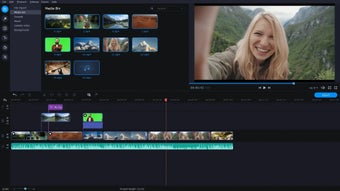
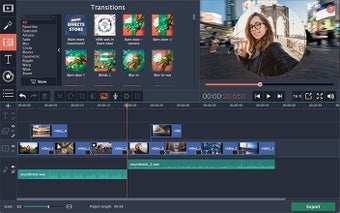
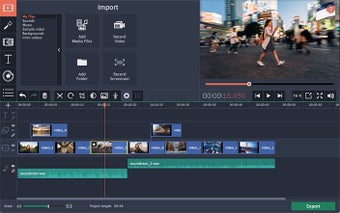
At its core, Movavi emphasizes speed and accessibility in its features without sacrificing essential functionality. With a clean interface and drag-and-drop workflow, users can quickly assemble projects here while exploring features like effects, transitions, and automated tools designed to simplify editing tasks.
Offers a streamlined editing experience
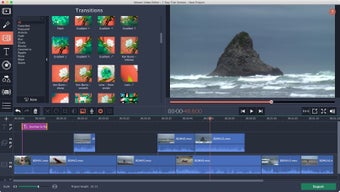
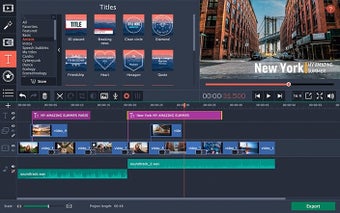
One of Movavi’s strongest advantages is its streamlined editing experience. The redesigned timeline of this video editing platform is intuitive and reduces clutter, allowing users to focus on arranging clips and refining their projects. Also, video editing tasks such as cutting, trimming, and color adjustment are handled smoothly here, making the software approachable even for those with minimal editing experience.
Another highlight of this platform is its integration of AI-powered tools into its video editing features. Editing features like automatic subtitle generation and silence detection help reduce manual work for users, particularly for vloggers and educators who need these features the most. These automation capabilities can significantly speed up production while maintaining a professional finish, especially when working with dialogue-heavy content.
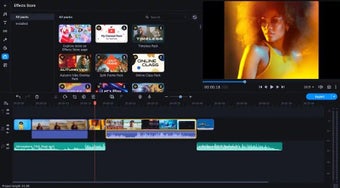
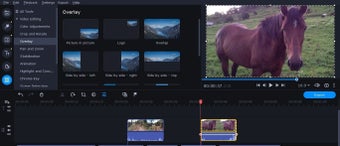
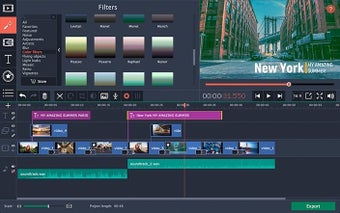
Creativity is further supported through an extensive library of effects, including filters, overlays, and animated elements. With thousands of visual assets and built-in audio options, users can enhance their videos without needing external resources. The ability to preview effects instantly also improves workflow efficiency and decision-making during editing. However, it does not fully support modern codecs such as HEVC/H.265 which can be a problem if you frequently work with these formats.
A practical video editing software
Movavi strikes a practical balance between simplicity and capability. Although it may not replace high-end professional video editing software, it delivers more than enough functionality for everyday video content creation. Its intuitive design, automation features, and rich asset library make it a strong choice for beginners and intermediate users who value speed and ease of use without compromising creative potential.